HueBar

HueBar

Control your Philips Hue lights from your Mac menu bar. Multi-bridge support, free, open-source, and built with SwiftUI.

Multi-Bridge Support Free & Open Source Lives in Your Menu Bar Keyboard Shortcuts Real-time Updates

There's no official Hue app for macOS. HueBar fills that gap — with multi-bridge support.

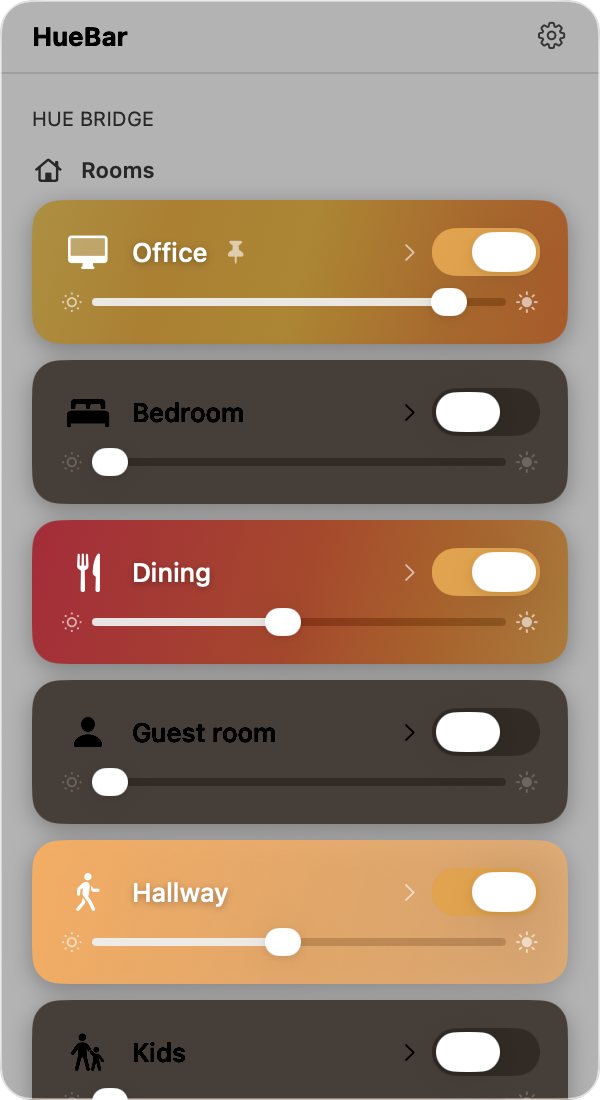
HueBar rooms view showing room list with brightness sliders and on/off toggles
Rooms
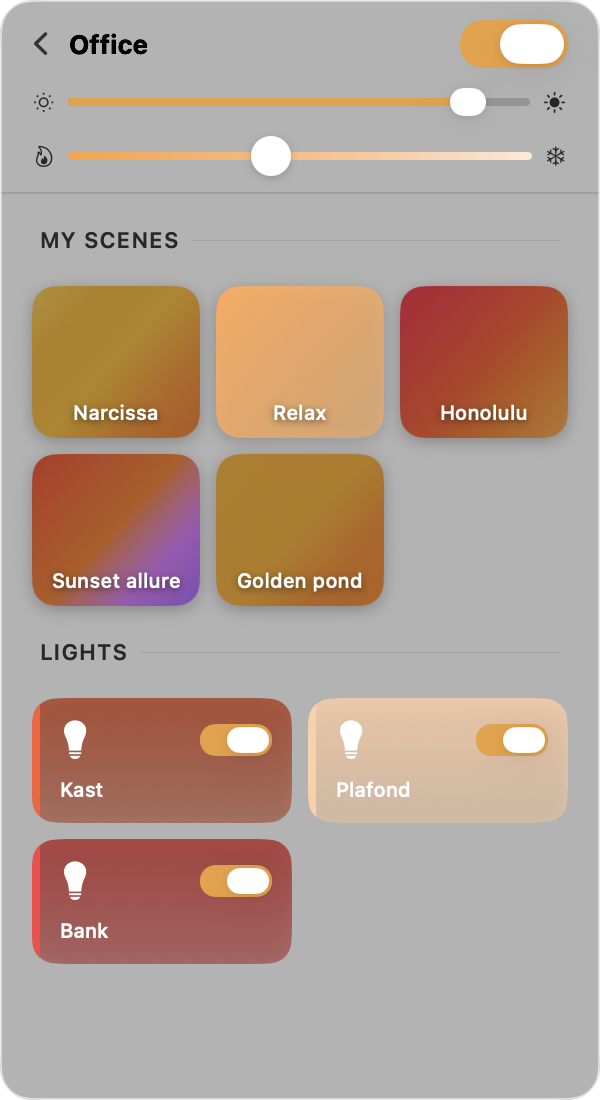
HueBar room detail view showing scenes and individual lights
Scenes & Lights
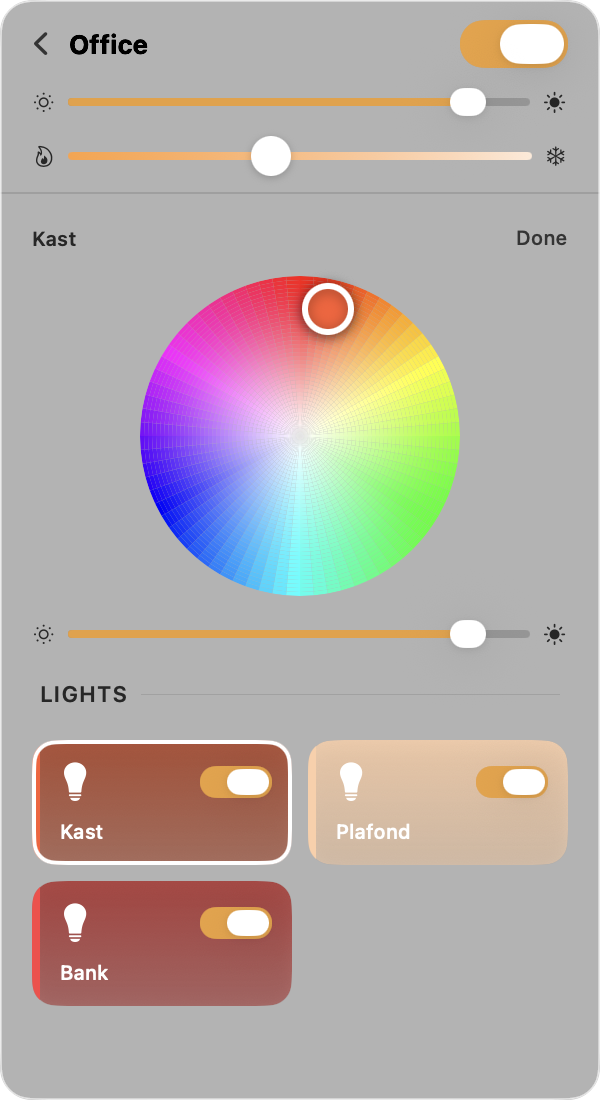
HueBar color picker with color wheel and temperature slider
Color Picker
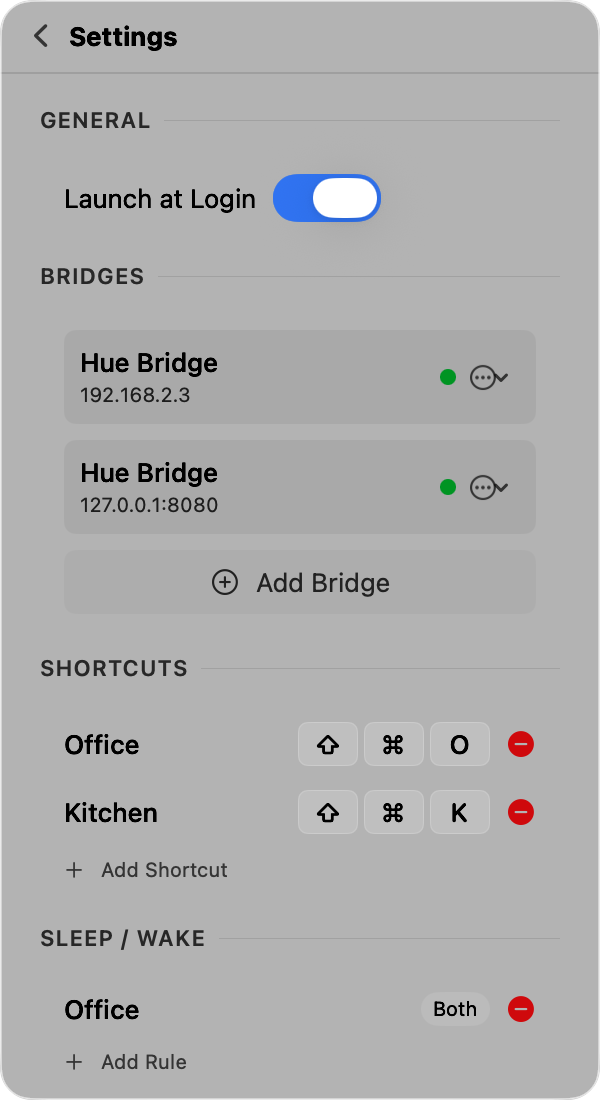
HueBar settings showing keyboard shortcuts and sleep/wake rules
Settings

Everything you need

Full Hue control without leaving your keyboard or opening a phone app.

Rooms & Zones

View all rooms and zones with on/off toggles and brightness sliders.

Brightness Control

Adjust brightness per room, zone, or individual light with smooth sliders.

Scenes

Browse and activate saved scenes in a color-coded grid with palette previews.

Color Picker

Full color wheel and color temperature slider for per-light control.

Keyboard Shortcuts

System-wide hotkeys to toggle any room on or off from any app.

Sleep/Wake Automation

Automatically turn lights off on sleep and back on when your Mac wakes.

Real-time Updates

Live state sync via Server-Sent Events from your Hue Bridge.

Multi-Bridge

Connect multiple Hue Bridges and control all your lights from one place.

Install in seconds

Clone, build, and install with a single script.

$ git clone https://github.com/jurre/huebar.git
$ cd huebar
$ ./scripts/install.sh

Requires macOS 15 (Sequoia) and one or more Philips Hue Bridges on your network.
Or run from source with swift run.